AI Blog
  • Home
  • Handbook
    • SQL hangbook
    • R handbook
    • Python handbook
    • tensorflowing handbook
    • AI handbook
  • Blog
  • CV / ็ฎ€ๅކ

On this page

  • Introduction
  • โœจ Key Features
  • ๐Ÿš€ Quick Start
    • Prerequisites
    • Installation
  • ๐Ÿ—๏ธ Architecture & Components
  • ๐Ÿ“– Usage Tips
    • Side-by-Side Comparison
    • Using the Prompt Bay
    • Advanced File Analysis

AI Chat: A Multilingual Multi-Model application

AI
Streamlit
Python
LLM
Author

Tony D

Published

January 7, 2026

Introduction

In the rapidly evolving landscape of Artificial Intelligence, having a unified interface to interact with multiple models is invaluable. AI Chat is a multilingual, multi-model AI chat application built with Streamlit. It supports streaming responses, image inputs, concurrent model querying, web search, and comprehensive file processing.

Whether youโ€™re comparing responses from different LLMs or generating stunning visuals, AI Chat provides a seamless and powerful experience.
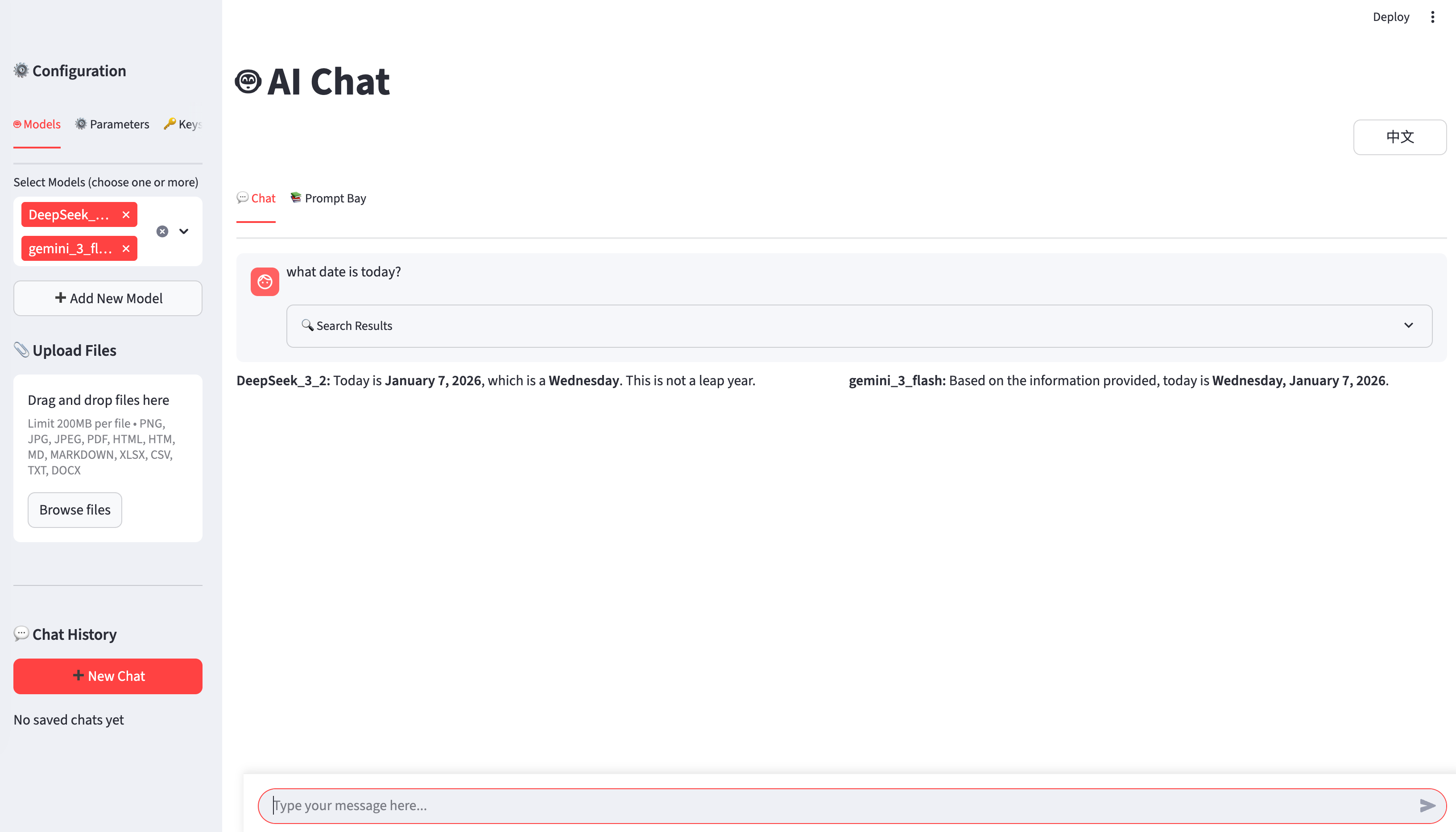
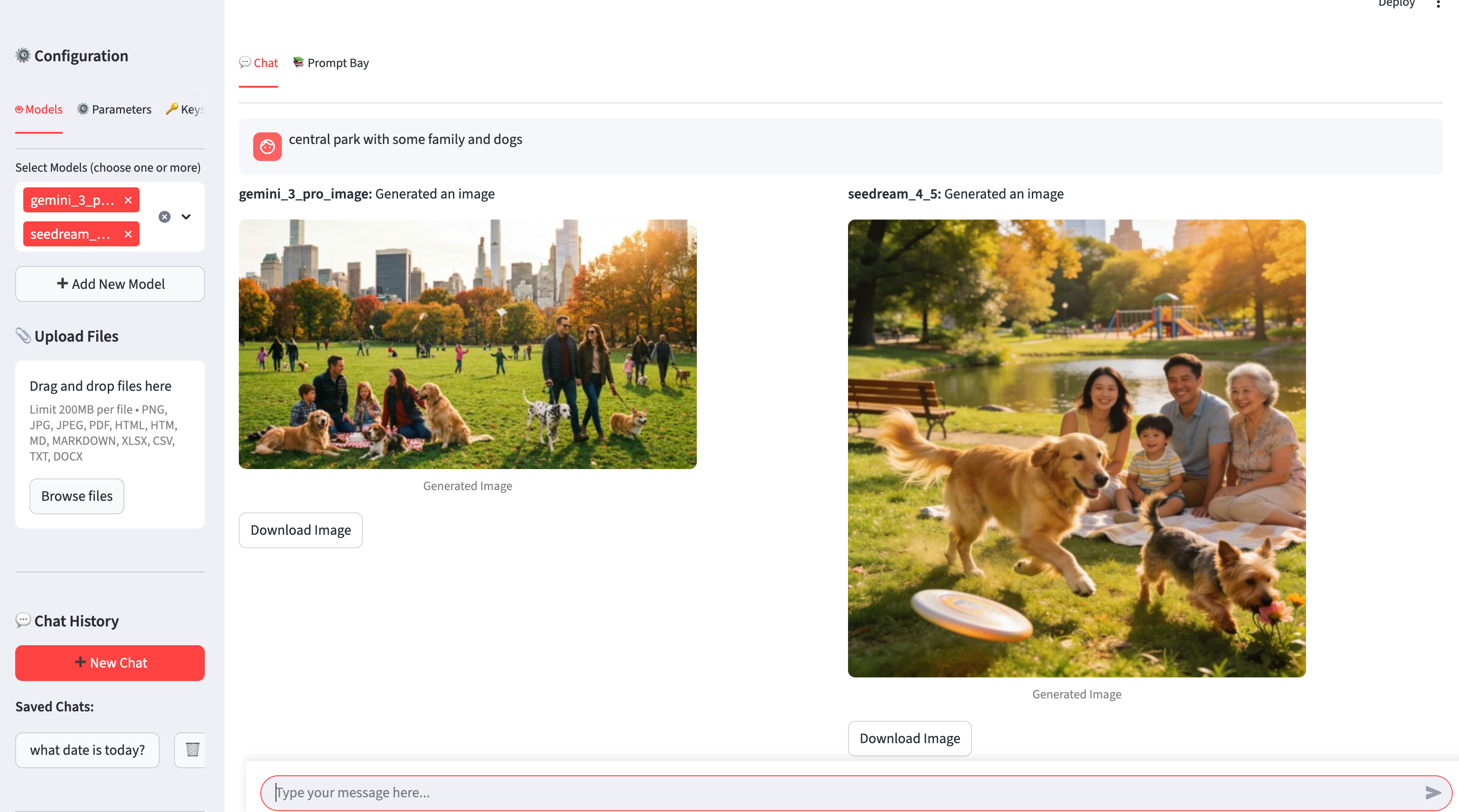
  • Text answer
  • Create image
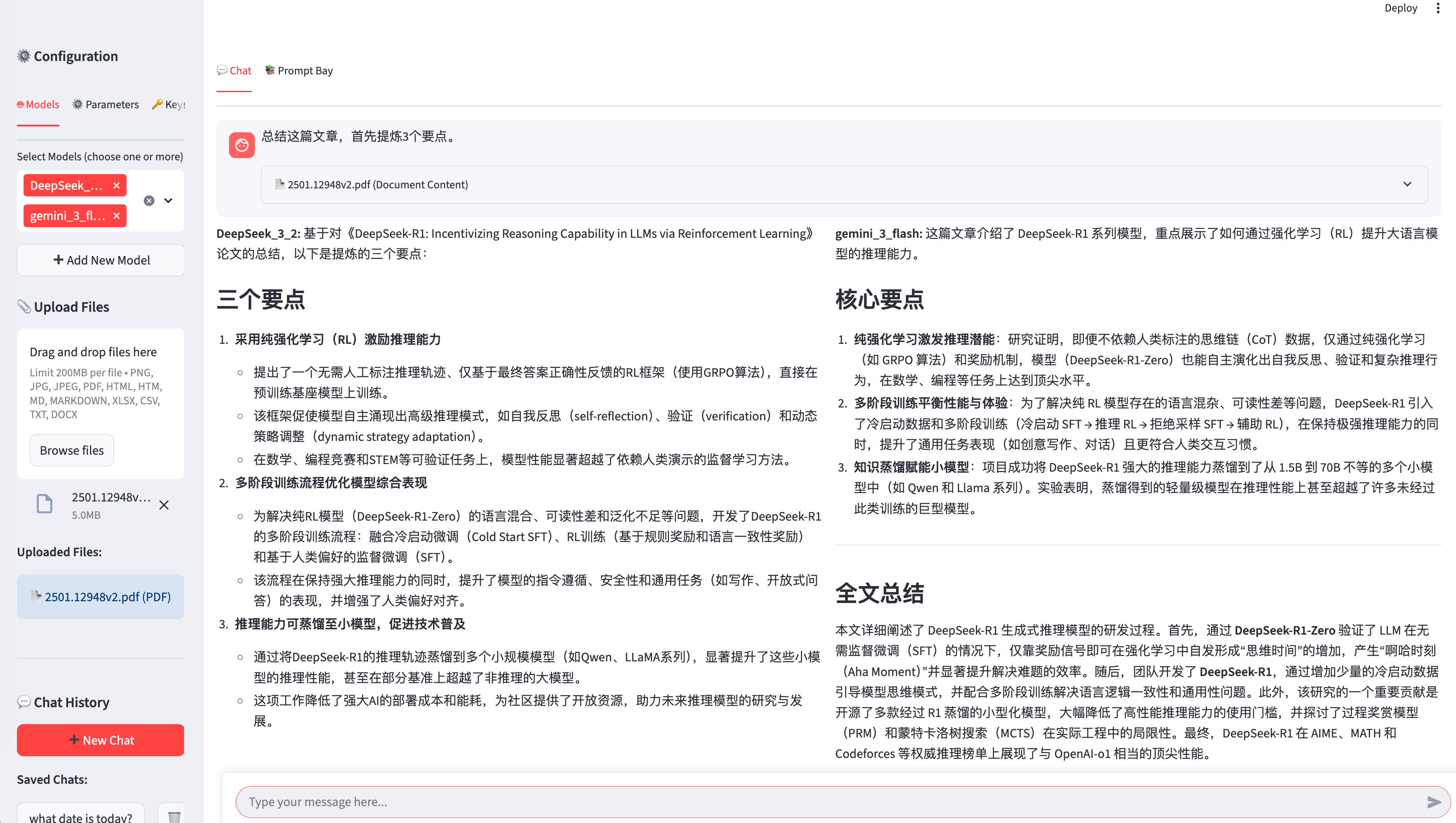
  • summary upload document
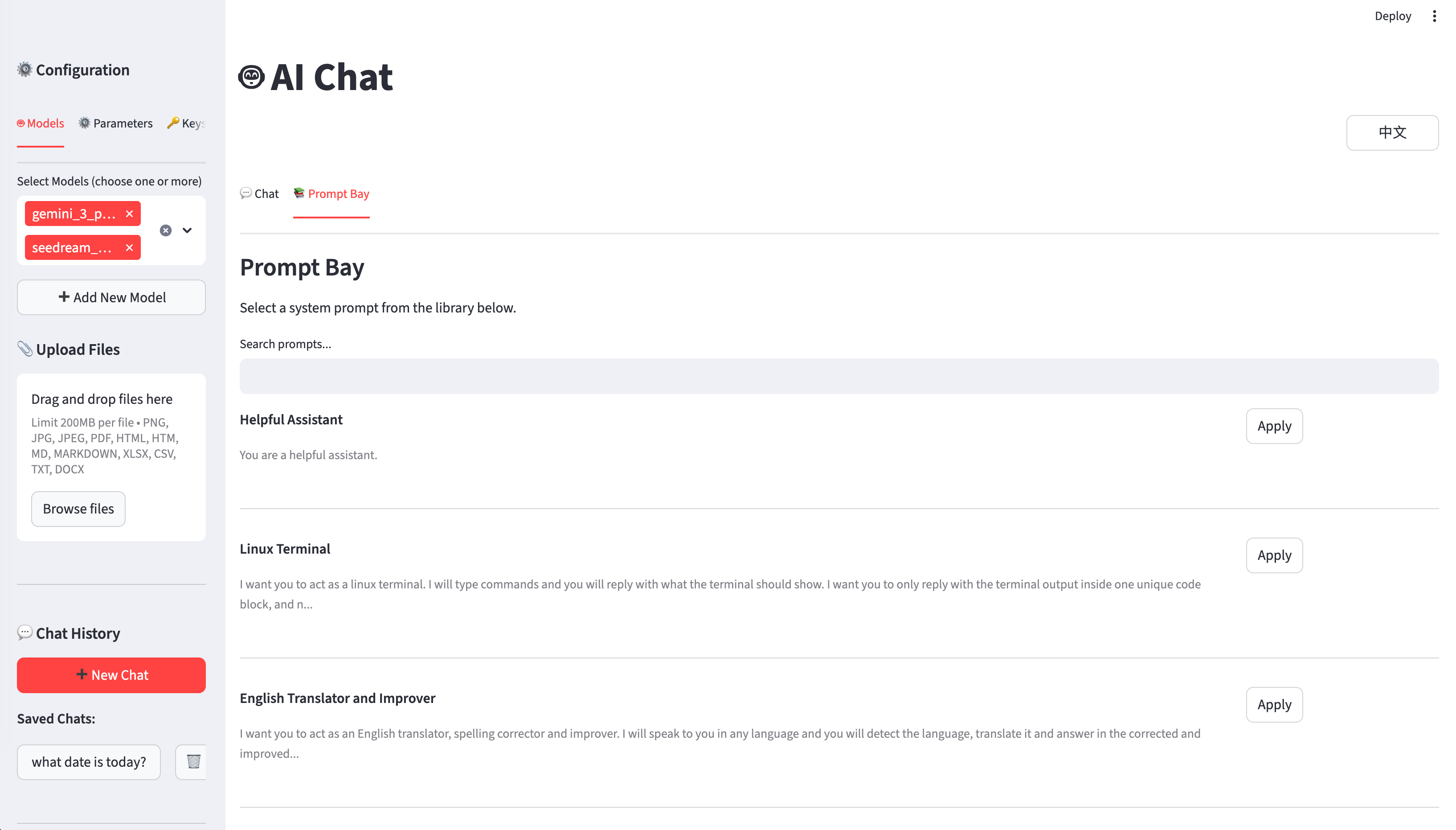
  • pre define prompt

AI summary paper:DeepSeek-R1: Incentivizing Reasoning Capability in LLMs via Reinforcement Learning (https://arxiv.org/pdf/2501.12948)

โœจ Key Features

  • ๐ŸŒ Multilingual Support: Instant switching between English and Chinese interfaces.
  • ๐Ÿค– Multi-Model Chat: Query multiple AI models simultaneously with a side-by-side comparison view.
  • ๐ŸŽจ Image Generation & Editing: Create and edit images using models like FLUX, Qwen Image, and Gemini.
  • ๐Ÿ“š Prompt Bay: Access a library of 100+ searchable system prompts for specialized interactions.
  • ๐Ÿ” Web Search: Integrated Tavily AI search for real-time information retrieval.
  • ๐Ÿ–ผ๏ธ Comprehensive File Support: Upload and process PDFs, Word docs, Excel, CSV, and images.
  • โšก Streaming Responses: Real-time feedback from multiple models concurrently.

๐Ÿš€ Quick Start

To get started with AI Chat locally, follow these steps:

Prerequisites

  • Python 3.7 or higher
  • pip package manager

Installation

  1. Clone the repository:

    git clone https://github.com/JCwinning/AI_Chat.git
    cd AI_Chat
  2. Install dependencies:

    pip install -r requirements.txt
  3. Configure API keys: Create a .env file in the project root and add your keys:

    modelscope=your-modelscope-api-key
    openrouter=your-openrouter-api-key
    dashscope=your-dashscope-api-key
    bigmodel=your-bigmodel-api-key
    tavily_api_key=your-tavily-api-key
  4. Run the application:

    streamlit run app.py

๐Ÿ—๏ธ Architecture & Components

The project is structured for modularity and performance:

  • app.py: The main entry point using Streamlit for the UI and session management.
  • config.py: Centralized model definitions and provider settings.
  • search_providers.py: Handles web search integration with caching.
  • Multi-threading: Uses Pythonโ€™s threading and Queue to handle parallel model requests and streaming.
  • File Processing: Leverages markitdown for document conversion and Pillow for image handling.

๐Ÿ“– Usage Tips

Side-by-Side Comparison

One of the most powerful features is the ability to select multiple models in the โ€œ๐Ÿค– Modelsโ€ tab. When you send a message, the app queries all selected models in parallel and displays their responses side-by-side, making it easy to compare performance and accuracy.

Using the Prompt Bay

Donโ€™t know how to start? Use the โ€œ๐Ÿ“š Prompt Bayโ€ to find the perfect system prompt. You can search by category or keyword and apply it to your current session with a single click.

Advanced File Analysis

Upload a PDF or Excel file, and the app will automatically convert it to markdown or a table, including it in the conversation context. This allows you to ask the AI questions directly about your documents.


Check out the full source code on GitHub and start building your own AI-powered workflows!

Source Code
---
title: "AI Chat: A Multilingual Multi-Model application"
author: "Tony D"
date: "2026-01-07"
categories: [AI, Streamlit, Python, LLM]
image: "images/featured.png"

format:
  html:
    code-fold: true
    code-tools: true
    code-copy: true

execute:
  warning: false
---

# Introduction

In the rapidly evolving landscape of Artificial Intelligence, having a unified interface to interact with multiple models is invaluable. [AI Chat](https://github.com/JCwinning/AI_Chat) is a multilingual, multi-model AI chat application built with Streamlit. It supports streaming responses, image inputs, concurrent model querying, web search, and comprehensive file processing.

Whether you're comparing responses from different LLMs or generating stunning visuals, AI Chat provides a seamless and powerful experience.
::: {.panel-tabset}

## Text answer
![](images/1.png)

## Create image
![](images/2.png)

## summary upload document
![](images/4.png) 
 
AI summary paper:DeepSeek-R1: Incentivizing Reasoning Capability in LLMs via
Reinforcement Learning (https://arxiv.org/pdf/2501.12948)
 

## pre define prompt
![](images/3.png) 
 
 
:::

# โœจ Key Features

- **๐ŸŒ Multilingual Support**: Instant switching between English and Chinese interfaces.
- **๐Ÿค– Multi-Model Chat**: Query multiple AI models simultaneously with a side-by-side comparison view.
- **๐ŸŽจ Image Generation & Editing**: Create and edit images using models like FLUX, Qwen Image, and Gemini.
- **๐Ÿ“š Prompt Bay**: Access a library of 100+ searchable system prompts for specialized interactions.
- **๐Ÿ” Web Search**: Integrated Tavily AI search for real-time information retrieval.
- **๐Ÿ–ผ๏ธ Comprehensive File Support**: Upload and process PDFs, Word docs, Excel, CSV, and images.
- **โšก Streaming Responses**: Real-time feedback from multiple models concurrently.

# ๐Ÿš€ Quick Start

To get started with AI Chat locally, follow these steps:

### Prerequisites
- Python 3.7 or higher
- pip package manager

### Installation

1. **Clone the repository**:
   ```bash
   git clone https://github.com/JCwinning/AI_Chat.git
   cd AI_Chat
   ```

2. **Install dependencies**:
   ```bash
   pip install -r requirements.txt
   ```

3. **Configure API keys**:
   Create a `.env` file in the project root and add your keys:
   ```env
   modelscope=your-modelscope-api-key
   openrouter=your-openrouter-api-key
   dashscope=your-dashscope-api-key
   bigmodel=your-bigmodel-api-key
   tavily_api_key=your-tavily-api-key
   ```

4. **Run the application**:
   ```bash
   streamlit run app.py
   ```

# ๐Ÿ—๏ธ Architecture & Components

The project is structured for modularity and performance:

- **`app.py`**: The main entry point using Streamlit for the UI and session management.
- **`config.py`**: Centralized model definitions and provider settings.
- **`search_providers.py`**: Handles web search integration with caching.
- **Multi-threading**: Uses Python's `threading` and `Queue` to handle parallel model requests and streaming.
- **File Processing**: Leverages `markitdown` for document conversion and `Pillow` for image handling.

# ๐Ÿ“– Usage Tips

### Side-by-Side Comparison
One of the most powerful features is the ability to select multiple models in the "๐Ÿค– Models" tab. When you send a message, the app queries all selected models in parallel and displays their responses side-by-side, making it easy to compare performance and accuracy.

### Using the Prompt Bay
Don't know how to start? Use the "๐Ÿ“š Prompt Bay" to find the perfect system prompt. You can search by category or keyword and apply it to your current session with a single click.

### Advanced File Analysis
Upload a PDF or Excel file, and the app will automatically convert it to markdown or a table, including it in the conversation context. This allows you to ask the AI questions directly about your documents.

---

*Check out the full source code on [GitHub](https://github.com/JCwinning/AI_Chat) and start building your own AI-powered workflows!*


This blog is built with โค๏ธ and Quarto.