由 AI 驱动
  • 主页
  • 手册
    • SQL 手册
    • R 手册
    • Python 手册
    • 机器学习手册
    • TensorFlow 手册
    • AI 手册
  • 博客
  • 简历
  • 中文/EN
    • 中文
    • English

On this page

  • 💝 这个情人节
  • 📸 照片画廊
  • 我们的回忆
  • 🤖 AI 模型
  • 技术栈
  • AI Agent 流程

爱情专属AI Agent

AI 助手,用于记录爱情回忆、管理照片等

AI
love
Author

Tony D

Published

February 14, 2026

💝 这个情人节

给你心爱的人一个独特的礼物——一个个性化的 AI Agent,用来记录你们的爱情故事。
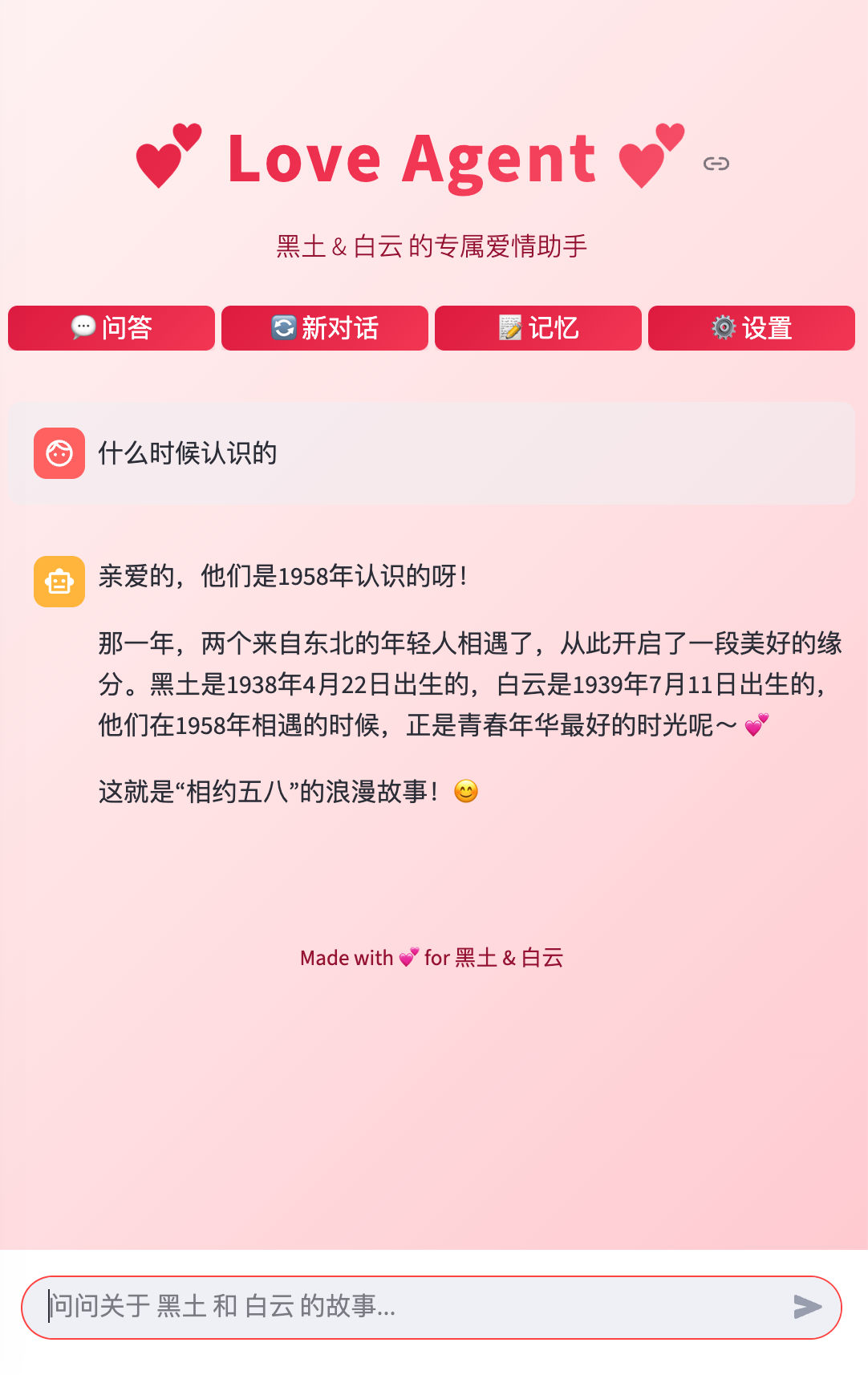
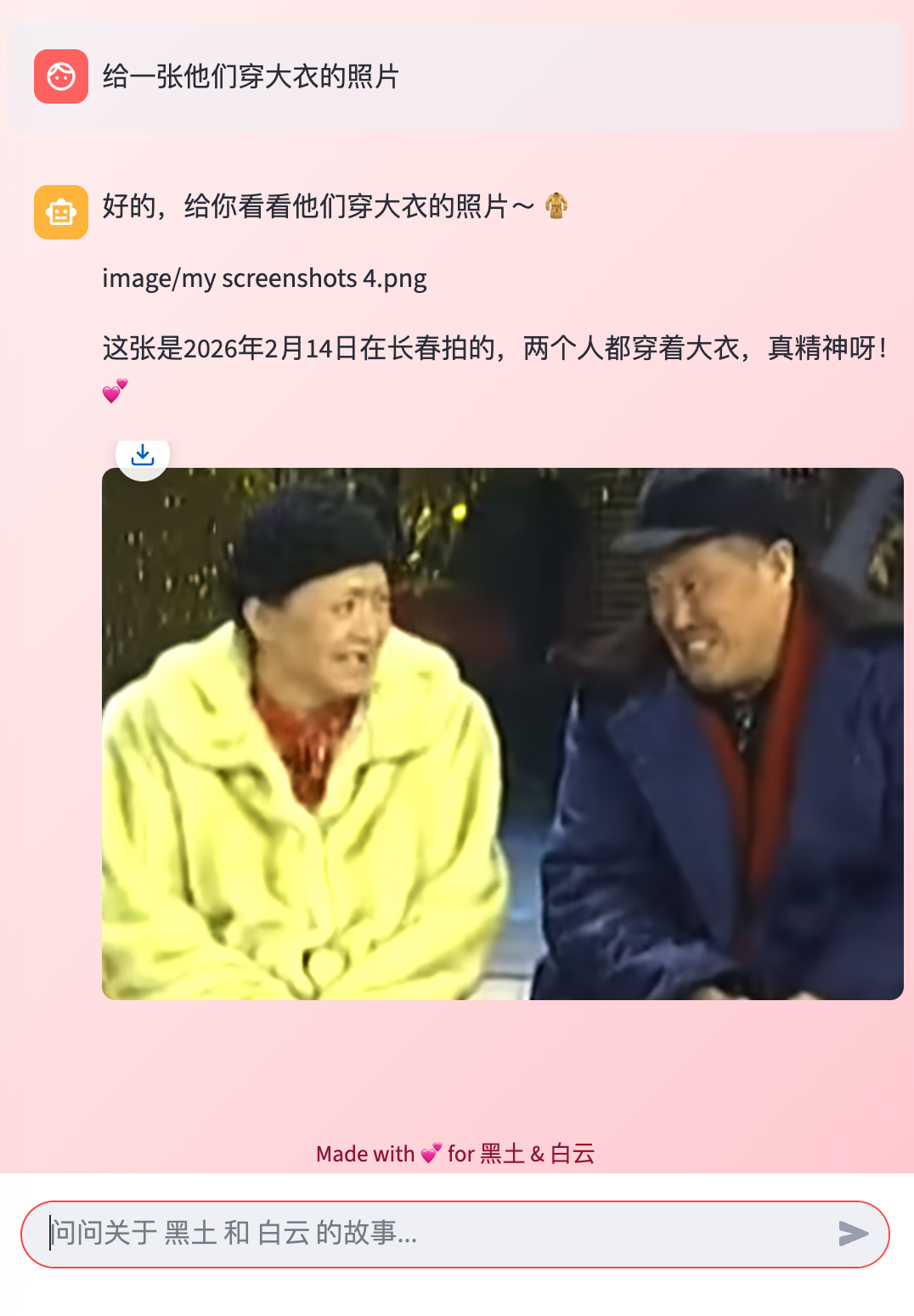
📸 照片画廊

随时随地导出珍贵照片。智能分类,一键导出。
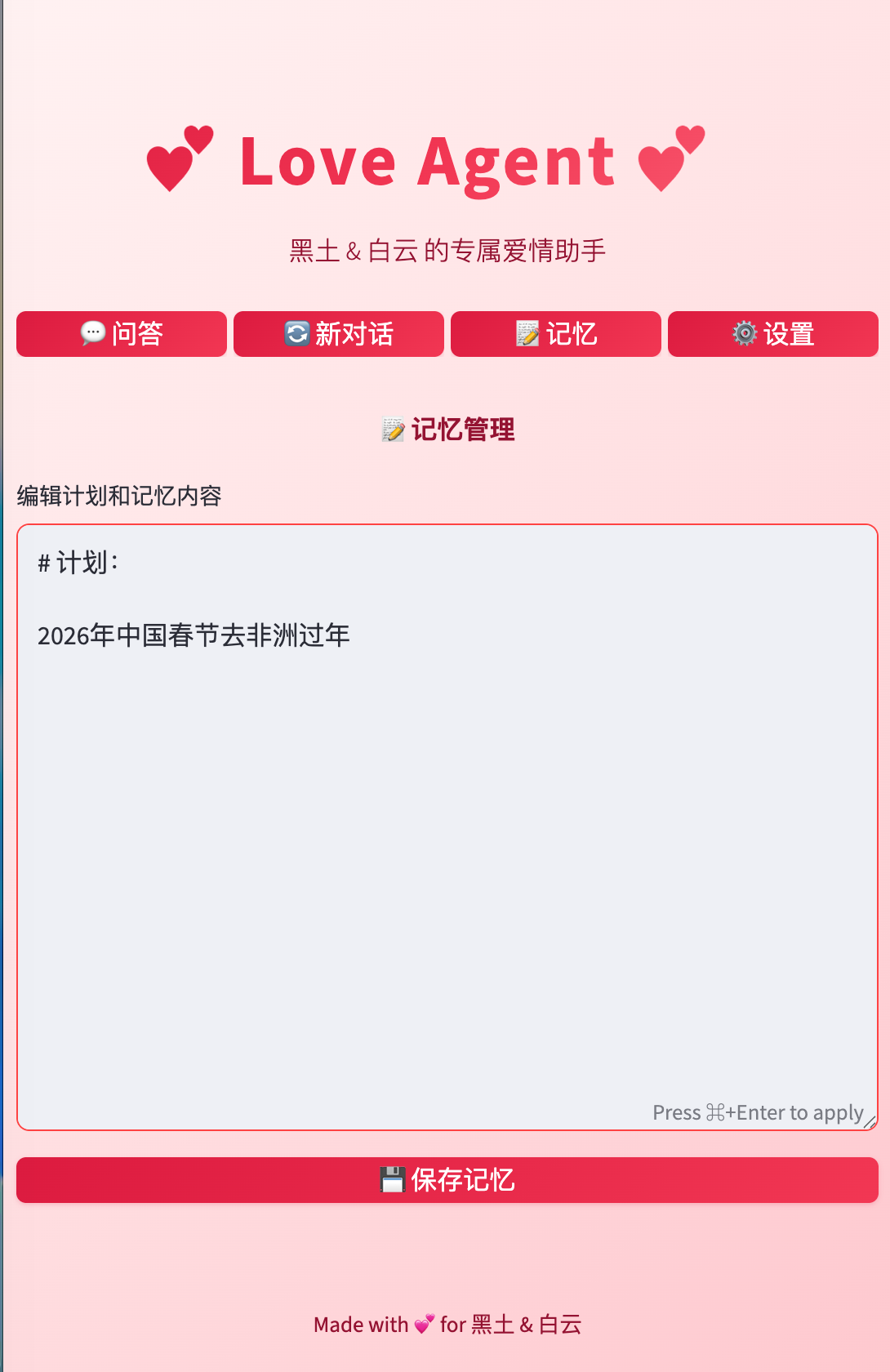
我们的回忆

添加你们独特的爱情回忆,捕捉每一个甜蜜时刻。
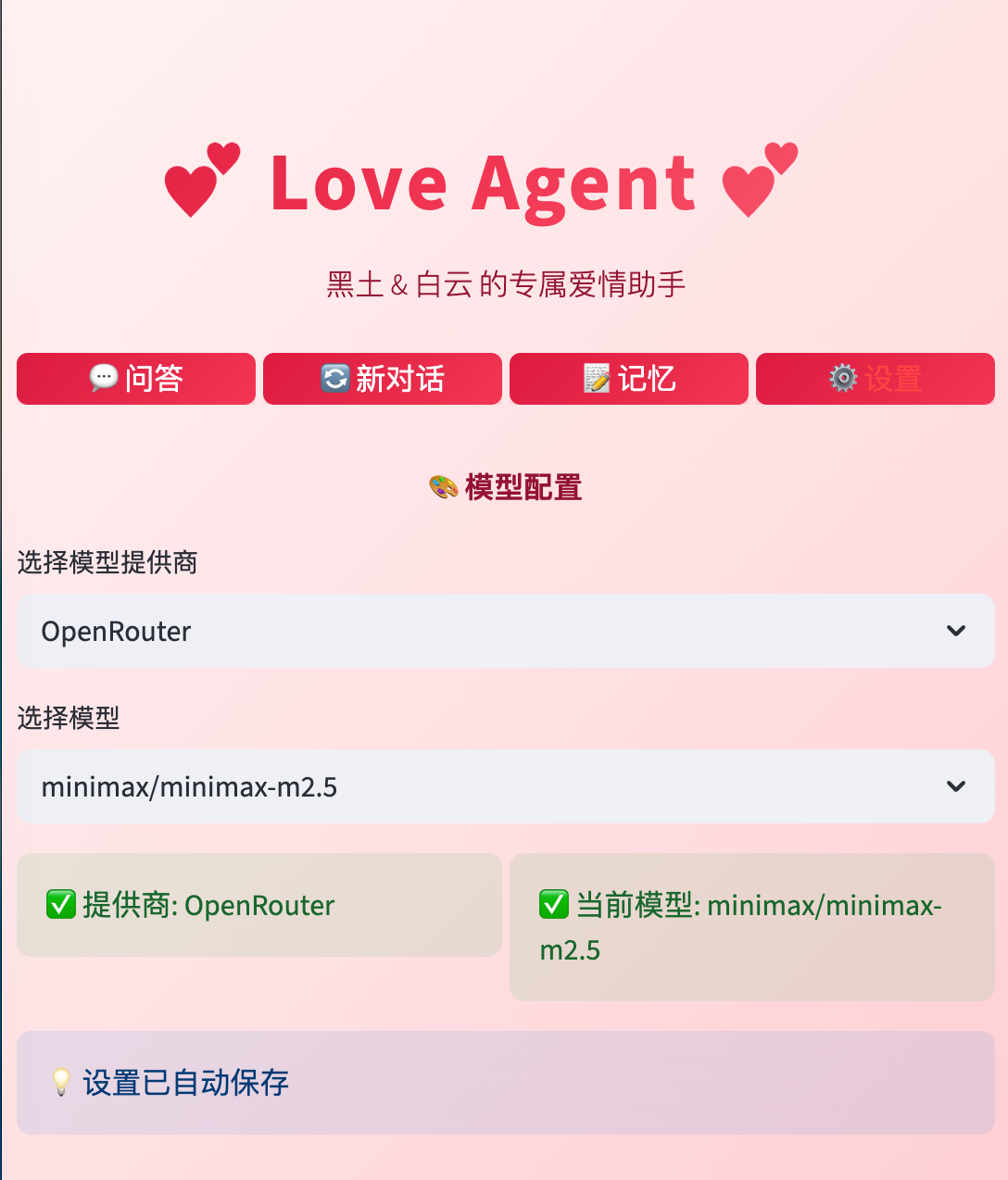
🤖 AI 模型

在最新的 AI 模型之间切换,包括 GLM-5、Kimi K2.5、Minimax-m2.5。
技术栈

Python / LangGraph / OpenAI SDK / Streamlit/Supabase

AI Agent 流程

graph TD
    %% Entry Point
    Start((User Access)) --> Login{Login Page}
    Login -- Wrong Key --> Login
    Login -- Correct Key --> Session[Init Session State]

    %% Navigation
    Session --> Tabs{Tab Selection}
    
    %% Chat Flow
    Tabs -- "💬 问答 (Chat)" --> Chat[Chat Interface]
    Chat --> UserInput[User enters Query]
    UserInput --> RunAgent[run_agent Logic]
    
    subgraph "Agent Workflow"
        RunAgent --> LoadData[Load Context]
        LoadData --> Story[Read story.md]
        LoadData --> Excel[Read data.xlsx Metadata]
        LoadData --> MemDB[Fetch Supabase Memory]
        
        Story & Excel & MemDB --> Prompt[Construct System Prompt]
        Prompt --> LLM[Call LLM - OpenAI/OpenRouter]
        LLM --> Response[Generate Response with Image Paths]
    end
    
    Response --> UIProcess[UI Processing]
    UIProcess --> Regex[Extract image/xxx.jpeg paths]
    Regex --> Strip[Remove paths from display text]
    Strip --> Render[Render Markdown + Image Gallery]
    
    %% Memory Flow
    Tabs -- "📝 记忆 (Memory)" --> MemPage[Edit Plans/Stories]
    MemPage --> SaveMem[Save to Supabase]
    SaveMem --> Session

    %% Settings Flow
    Tabs -- "⚙️ 设置 (Settings)" --> Config[Model Configuration]
    Config --> ModelSelect[Update Provider/Model]
    ModelSelect --> Session

    %% Data Sources
    subgraph "External Sources"
        Supa[(Supabase Cloud)]
        Local[(story.md / data.xlsx)]
        Images[/image folder/]
    end

    MemDB -.-> Supa
    SaveMem -.-> Supa
    Story & Excel -.-> Local
    Render -.-> Images

Source Code
---
title: "爱情专属AI Agent"
subtitle: "AI 助手,用于记录爱情回忆、管理照片等"
author: "Tony D"
date: "2026-02-14"
categories: [AI,love]
image: "images/cover.png"
format:
  html:
    code-fold: true
    code-tools: true
    code-copy: true
execute:
  warning: false
---

# 💝 这个情人节

给你心爱的人一个独特的礼物——一个个性化的 AI Agent,用来记录你们的爱情故事。


![](images/my screenshots 1.png){width="500"}

# 📸 **照片画廊**

随时随地导出珍贵照片。智能分类,一键导出。


![](images/my screenshots 2.png){width="500"}


# **我们的回忆**
添加你们独特的爱情回忆,捕捉每一个甜蜜时刻。

![](images/my screenshots 3.png){width="500"}

# 🤖 **AI 模型**

在最新的 AI 模型之间切换,包括 GLM-5、Kimi K2.5、Minimax-m2.5。

![](images/my screenshots 4.png){width="500"}

# 技术栈

Python / LangGraph / OpenAI SDK / Streamlit/Supabase


# AI Agent 流程


```{mermaid}
graph TD
    %% Entry Point
    Start((User Access)) --> Login{Login Page}
    Login -- Wrong Key --> Login
    Login -- Correct Key --> Session[Init Session State]

    %% Navigation
    Session --> Tabs{Tab Selection}
    
    %% Chat Flow
    Tabs -- "💬 问答 (Chat)" --> Chat[Chat Interface]
    Chat --> UserInput[User enters Query]
    UserInput --> RunAgent[run_agent Logic]
    
    subgraph "Agent Workflow"
        RunAgent --> LoadData[Load Context]
        LoadData --> Story[Read story.md]
        LoadData --> Excel[Read data.xlsx Metadata]
        LoadData --> MemDB[Fetch Supabase Memory]
        
        Story & Excel & MemDB --> Prompt[Construct System Prompt]
        Prompt --> LLM[Call LLM - OpenAI/OpenRouter]
        LLM --> Response[Generate Response with Image Paths]
    end
    
    Response --> UIProcess[UI Processing]
    UIProcess --> Regex[Extract image/xxx.jpeg paths]
    Regex --> Strip[Remove paths from display text]
    Strip --> Render[Render Markdown + Image Gallery]
    
    %% Memory Flow
    Tabs -- "📝 记忆 (Memory)" --> MemPage[Edit Plans/Stories]
    MemPage --> SaveMem[Save to Supabase]
    SaveMem --> Session

    %% Settings Flow
    Tabs -- "⚙️ 设置 (Settings)" --> Config[Model Configuration]
    Config --> ModelSelect[Update Provider/Model]
    ModelSelect --> Session

    %% Data Sources
    subgraph "External Sources"
        Supa[(Supabase Cloud)]
        Local[(story.md / data.xlsx)]
        Images[/image folder/]
    end

    MemDB -.-> Supa
    SaveMem -.-> Supa
    Story & Excel -.-> Local
    Render -.-> Images
```


This blog is built with ❤️ and Quarto.